Client formulas for color, (and etc) are recorded and retained within the Client Log. The Client Log may be accessed at all stages — from making the appointment to collecting payment — wherever the term “Client Log” and the client name appear.
ALL employees have access to the formulas in a Client Log regardless of Permissions.
On the right side of the formulas page, you will see the date it was created and who created it (username).
1. Manage > Clients > Search & select the client
From the Schedule: Click on the client's appointment > Click Client Log on the right (or on the client's name in the top, left corner)
2. Proceed to the Formulas tab
3. View the past formula history or create a new formula using the New Formula button in the top, right corner
4. If entering a new formula: Enter the formula, then click Save 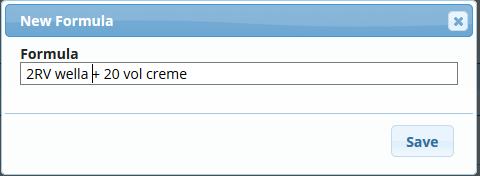
5. You may edit a formula by clicking on it and adjusting the information, then click Save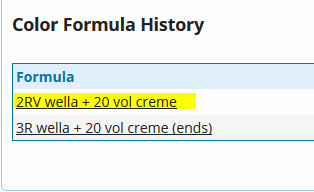
Notes:
- You will not be able to edit a formula once 24 hours has passed
- You will not be able to delete formulas
You can also view all client formulas upon running and exporting the Clients Report
English
![RosyLogoSummer-1.png]](https://support.rosysalonsoftware.com/hs-fs/hubfs/RosyLogoSummer-1.png?height=40&name=RosyLogoSummer-1.png)